
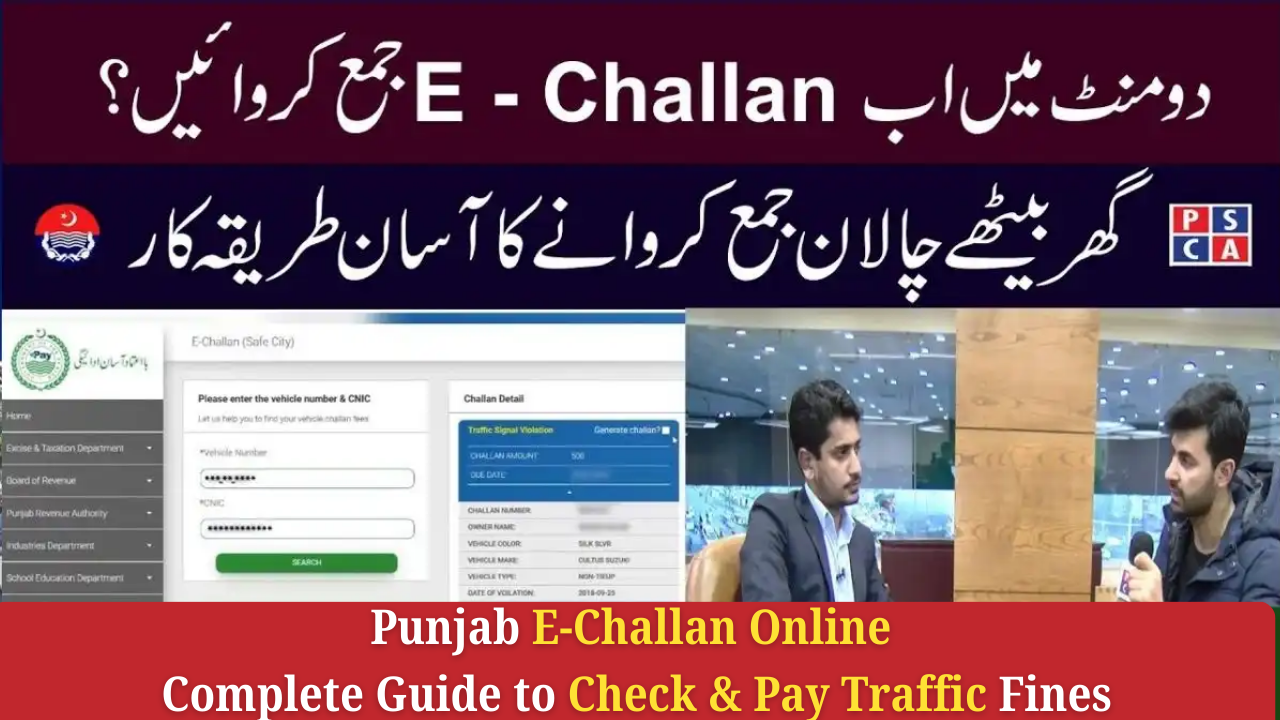
The Punjab E-Challan system has made traffic fine payments easier, faster, and completely digital. Instead of standing in long queues at banks or traffic police offices, you can now check, download, and pay your challan online within seconds.
This complete guide explains how to use the Punjab E-Challan portal, how to pay through mobile apps, and how to confirm that your fine has been successfully cleared.
What Is Punjab E-Challan and How Does It Work?
Punjab E-Challan is an automated traffic violation system launched by the Punjab Safe Cities Authority (PSCA). Advanced cameras installed across major cities capture traffic violations such as:
-
Over-speeding
-
Red-light crossing
-
Wrong U-turn
-
Lane violations
-
Helmet violations
-
Driving without a seatbelt
Once a violation is detected, the system automatically generates an electronic challan linked to your vehicle registration number.
This challan becomes available online for viewing and payment.
Why Use Punjab E-Challan Online?
The online challan system offers several advantages:
-
✔ Quick and paperless challan checking
-
✔ Easy online payments from any mobile device
-
✔ Reduced chances of human error or bribery
-
✔ No need to visit banks or police offices
-
✔ Secure digital receipts
-
✔ Instant verification of unpaid or pending fines
The entire process is convenient, transparent, and available 24/7.
How to Check Your Punjab E-Challan Online (Step-by-Step)
Checking your challan online is very simple. Follow the steps below:
Step 1: Visit the Official Website
Go to:
🔗 echallan.psca.gop.pk
This is the official E-Challan portal by Punjab Safe Cities Authority.
Step 2: Enter Your Vehicle Registration Number
Make sure the number is exactly as written on:
-
Vehicle registration card
-
Smart card
-
MTMIS record
Example formats:
-
LEB-1234
-
FDX-9980
-
RWP-5566
Step 3: Enter CNIC or PSID (Optional)
Adding your CNIC helps the system fetch more accurate results.
Step 4: Click “Search”
The portal will show:
-
Violation date & time
-
Location
-
Camera snapshot (if available)
-
Fine amount
-
Payment status (Paid / Unpaid)
-
PSID number
Step 5: Download PDF / Print Challan
You can save the challan slip for recordkeeping or manual payment.
If Your E-Challan Is Not Showing Online
Sometimes the challan does not appear immediately. Common reasons include:
-
Wrong vehicle number format
-
Recently issued challan (not uploaded yet)
-
MTMIS ownership mismatch
-
PSCA system update or maintenance
If the challan still doesn’t appear after a few hours, try again or verify your plate number from MTMIS Punjab.
How to Pay Punjab E-Challan Online (2025 Updated Methods)
You can pay your challan through several secure digital platforms.
Pay E-Challan Through Easypaisa
Steps:
-
Open the Easypaisa app
-
Select Bill Payments
-
Tap Traffic Challan
-
Choose Punjab Safe Cities Authority (PSCA)
-
Enter your PSID number
-
Confirm details and tap Pay Now
-
Save the payment receipt
A confirmation SMS usually arrives within 1–5 minutes.
Pay E-Challan Through JazzCash
Steps:
-
Open the JazzCash app
-
Tap Bill Payments
-
Select Punjab E-Challan (PSCA)
-
Enter PSID number
-
Confirm and complete payment
-
Save the digital receipt
Retail Option:
If you don’t use the JazzCash app, visit any retailer and provide your PSID.
Pay E-Challan Using Mobile Banking (Any Bank)
Nearly all Pakistani banks support Punjab e-challan payments, including:
-
HBL
-
UBL
-
Meezan
-
MCB
-
Bank Alfalah
-
Allied Bank
-
Askari Bank
Steps:
-
Open your banking app
-
Go to Bill Payments
-
Choose Traffic Challan / PSCA
-
Enter the PSID
-
Pay and save receipt
Payments reflect automatically after processing.
How to Confirm Your Punjab E-Challan Payment
After paying your challan:
-
Visit echallan.psca.gop.pk
-
Enter vehicle number and PSID
-
If the challan disappears — payment is successful
-
If it still shows — wait up to 24 hours
If your challan remains unpaid after 24 hours, contact the traffic helpline or visit your nearest police service center with your receipt.
What Happens If You Don’t Pay Your E-Challan?
Ignoring your pending traffic fines can cause several issues:
-
Vehicle may be blacklisted in MTMIS
-
Police can stop the vehicle for unpaid fines
-
Smart cameras will continue tracking violations
-
Token tax renewal can be blocked
-
Vehicle transfer may be restricted
Paying your challan on time ensures smooth driving and legal compliance.
Tips to Avoid Traffic Violations in Punjab
-
Follow lane rules
-
Stop before the zebra crossing at red lights
-
Wear a helmet while riding a motorcycle
-
Use seatbelts at all times
-
Avoid speeding
-
Do not use a mobile phone while driving
Safe driving reduces accidents and unnecessary fines.
Final Words
Punjab’s E-Challan system has made traffic fine management simple and transparent. Whether you want to check challan status, download a slip, or pay online, everything is accessible within a few clicks.
Digital challan services save time, reduce paperwork, and improve road safety across the province.
